# Deploying and Running SuperTuxKart Server Using Agones
> This SuperTuxKart example shows how to set up, deploy, and manage a SuperTuxKart game server on a Kubernetes cluster using Agones. It highlights an approach to integrate with existing dedicated game servers.
---
LLMS index: [llms.txt](/site/llms.txt)
---
## Prerequisite
To get started, ensure the following prerequisites are met:
- You have a running Kubernetes cluster.
- Agones is installed on your cluster. Refer to the [Agones guide](https://agones.dev/site/docs/installation/install-agones/) for the instructions.
- The SuperTuxKart client downloaded for gameplay. Download it from [SuperTuxKart](https://supertuxkart.net/Main_Page)
- (Optional) Review
SuperTuxKart code
to see the details of this example.
## Create a Fleet
Let's create a Fleet using the following command:
```bash
kubectl apply -f https://raw.githubusercontent.com/googleforgames/agones/release-1.58.0/examples/supertuxkart/fleet.yaml
```
You should see a successful output similar to this :
```
fleet.agones.dev/supertuxkart created
```
This has created a Fleet record inside Kubernetes, which in turn creates two ready [GameServers](/site/docs/reference/gameserver/)
that are available to be allocated for a game session.
```bash
kubectl get fleet
```
It should look something like this:
```
NAME SCHEDULING DESIRED CURRENT ALLOCATED READY AGE
supertuxkart Packed 2 2 0 2 55s
```
You can also see the GameServers that have been created by the Fleet by running `kubectl get gameservers`,
the GameServer will be prefixed by `supertuxkart`.
```
NAME STATE ADDRESS PORT NODE AGE
supertuxkart-xfw2g-bwwkb Ready 34.82.158.69 7421 gke-agon-default-pool-f18c8e90-1f9k 103s
supertuxkart-xfw2g-skdnf Ready 34.82.158.69 7585 gke-agon-default-pool-f18c8e90-1f9k 103s
```
For the full details of the YAML file head to the [Fleet Specification Guide](/site/docs/reference/fleet/)
## Connect to the Game Server
After allocating a GameServer from the fleet and obtaining its status and IP, you're ready to connect and play. Here’s how to use the server IP and port to join the game with the SuperTuxKart client:
**Launch SuperTuxKart**: Start the SuperTuxKart client you downloaded earlier by running the executable for your operating system ([documentation](https://supertuxkart.net/FAQ))
**Navigate to Online Play**: From the main menu, select the "Online" option and then select "Enter server address" from the available options.
**Enter Server Details**: In the subsequent screen, you will be prompted to input the IP address and port number in order to join the game. Please enter the IP address and port number obtained from the `kubectl get gameservers` command.
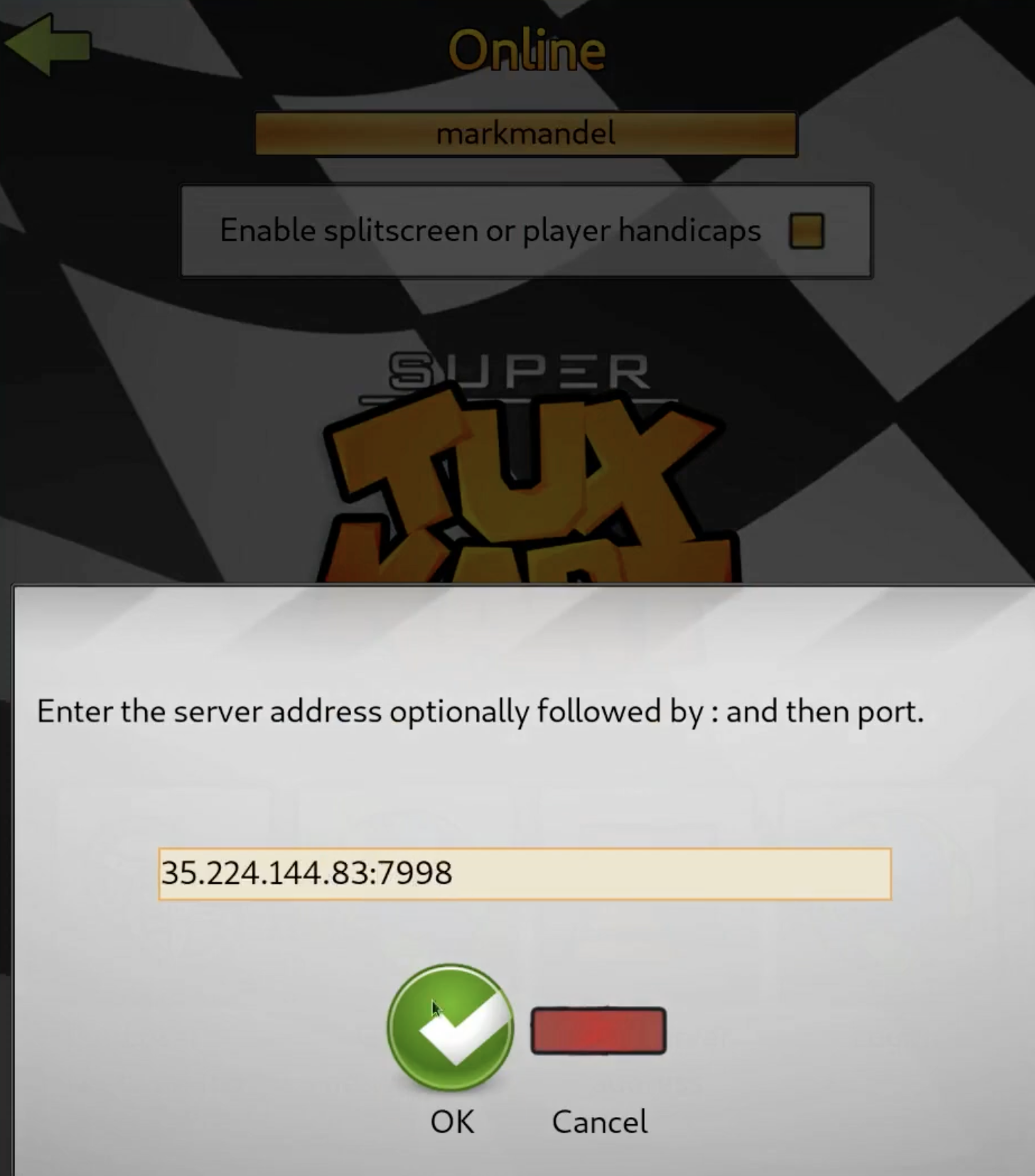
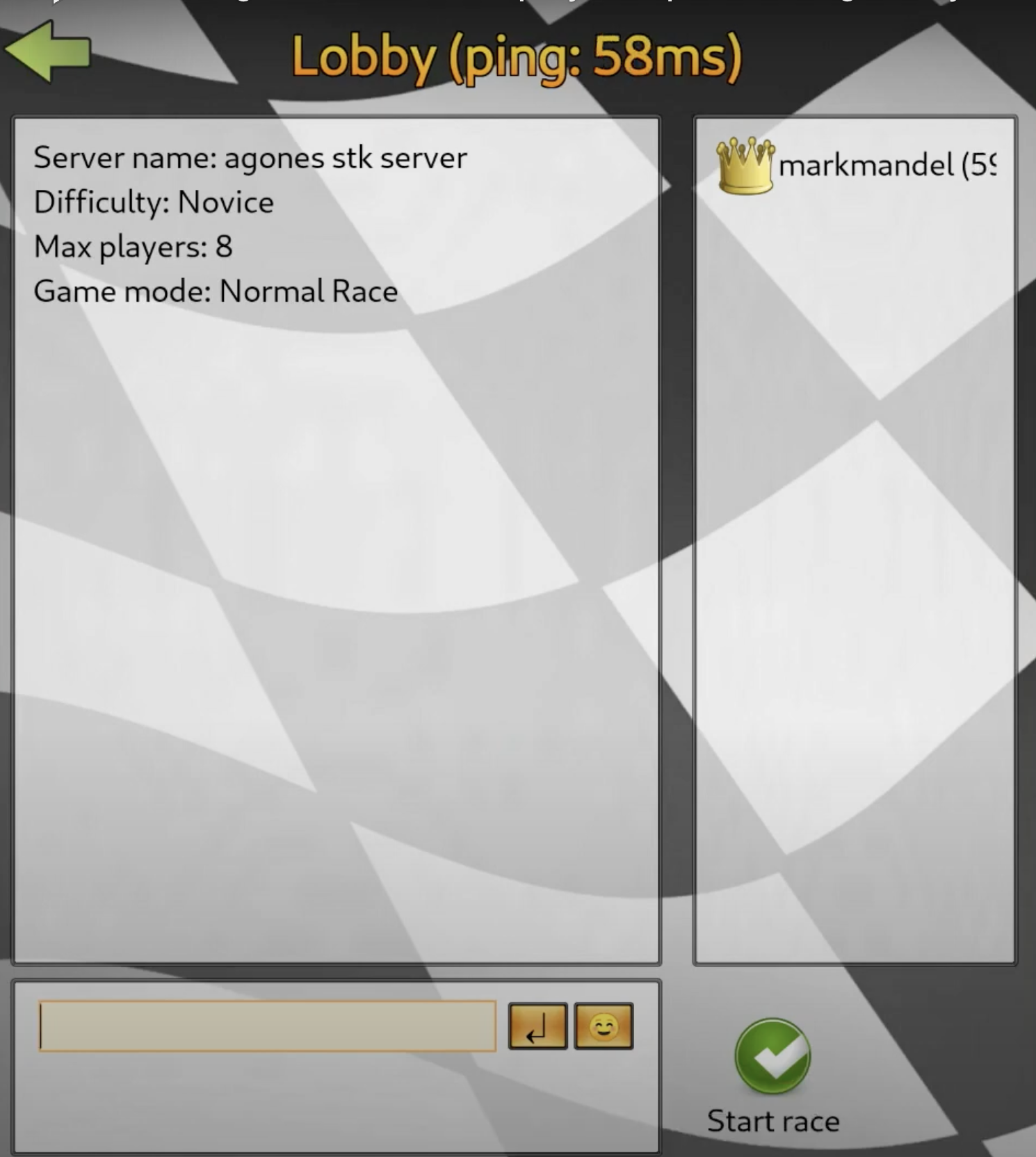
**Join the Game**: After entering the server details, proceed to join the server. You should now be connected to your Agones-managed SuperTuxKart game server and ready to play.
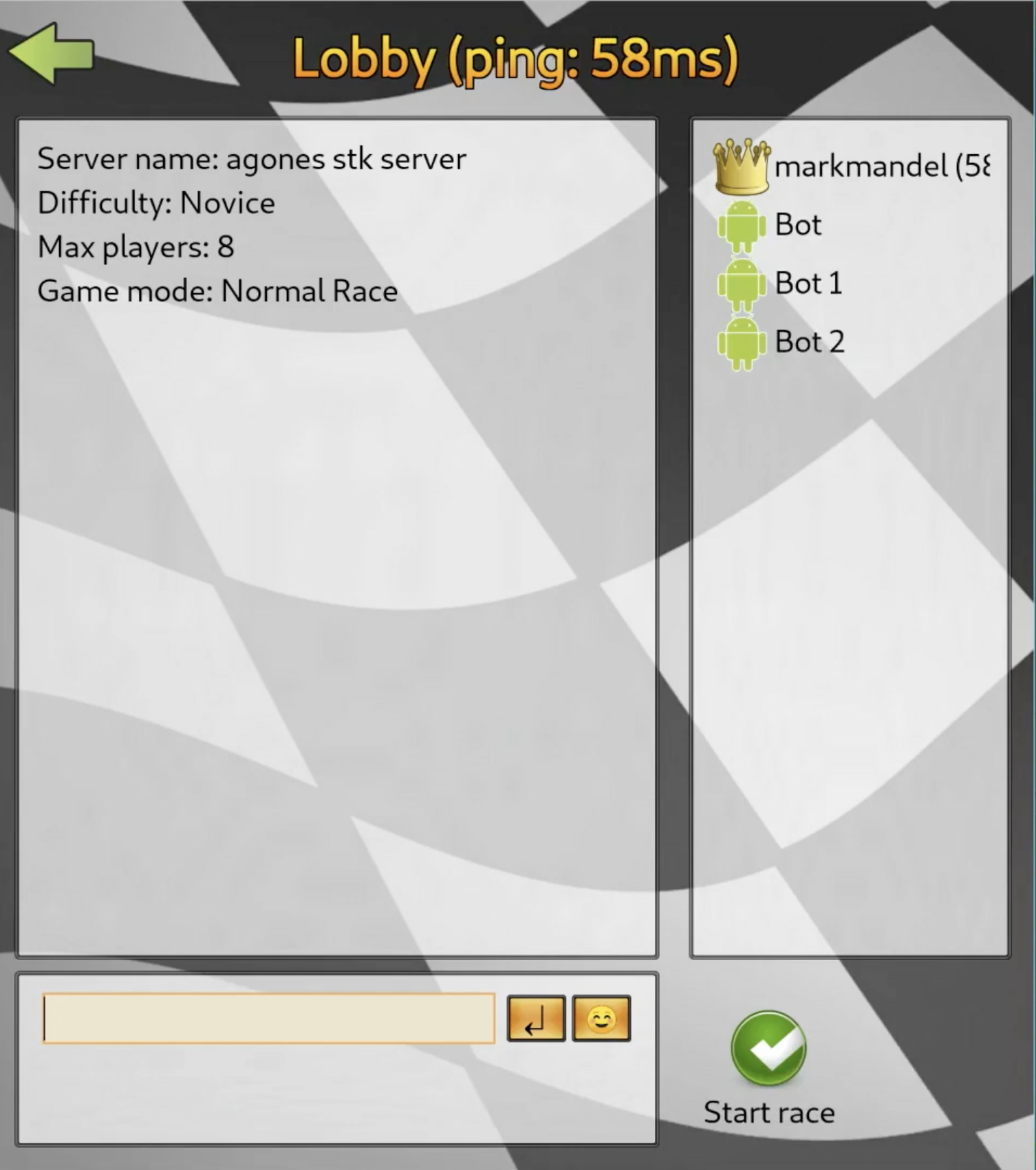
**Launch the Game with AI Bots**: To start the server with AI players, use the ` --connect-now= --network-ai=` command, substituting `` with your server's IP address and port number and `` with the desired number of bots. For more information, refer to the [SuperTuxKart documentation](https://github.com/supertuxkart/stk-code/blob/master/NETWORKING.md#testing-server).
## Cleaning Up
After playing SuperTuxKart, it's a good practice to clean up the resources to prevent unnecessary resource consumption. To delete the Agones fleet you deployed, execute the following command. This will remove the fleet along with all the game server instances it manages:
```bash
kubectl delete -f https://raw.githubusercontent.com/googleforgames/agones/release-1.58.0/examples/supertuxkart/fleet.yaml
```